|
|
Latest Articles

New Movies


Foreign





|

Torrent Description
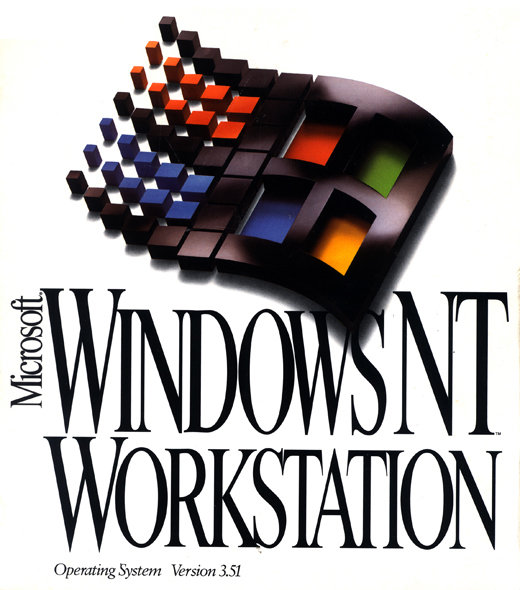 Программы и Дизайн » Операционные системы от Microsoft » Операционные системы выпущенные до Windows XP Microsoft Windows NT Workstation 3.51 Год выпуска: 1995 Версия: 3.51 Разработчик: Microsoft Платформа: Windows NT Совместимость с Vista: нет Системные требования: ДЛЯ x86 или Pentium совместимых систем: ПК с 386/25 процессором или выше 12 Мб оперативной памяти CD-ROM и 90 Мб дискового пространства VGA адаптер или лучше ДЛЯ RISC-компьютеров: Alpha AXP, MIPS R4x00 или PowerPC платформа 16 Мб ОП CD-ROM и 120Мб на диске VGA или лучше Язык интерфейса: только английский Таблэтка: Не требуется MD5: 02C7CEE16A69A239C5F6A68825B89636 SHA-1: 4D3A89640D64B0DBAED4174FF6924F59934F97F6 Коротко о главном: Операционная система Windows NT Workstation 3.51 Это третья реализация из линейки Microsoft Windows NT. Выпущена 30 мая 1995 года. На диске присутствует дистрибутив для установки на платформах - х86-совместимых компьтерах, - MIPS R4x00 - DEC ALPHA AXP - PowerPC Microsoft поддерживала эту ОСь до 31 декабря 2001 года и выпустила 5 сервис паков. Наверное последняя с интерфейсом Windows 3.1 с диспетчером программ и диспетчером файлов. Представлен образ оригинального диска. Обратная сторона коробки: [spoiler="скрытый текст"]  [/spoiler] CD [spoiler="скрытый текст"]  [/spoiler] Screenshoots: [spoiler="скрытый текст"]    [/spoiler] 03/06/2009 Перезалито: добавлена папочка с установкой поддержки русских шрифтов [spoiler="скрытый текст"] Font Support for the Russian language Before you install Windows NT Workstation version 3.5 or Windows NT Server version 3.5 using Russian language, please read the instructions below for information on how to do that using the disk labeled Font Support. You must first set up Windows NT Workstation or Windows NT Server into the English (American) locale and US keyboard layout and then add the appropriate font support from this disk. The following instructions tell you how to do that. To add font support: 1. Begin the Windows NT Setup program as described in the Installation Guide. 2. Whether you choose to use Custom or Express Setup, do not change the default selection of US under Keyboard Layout, and you need to choose English (American) under Language (Locale). 3. Complete the installation process. 4. After you complete installation and restart the system, log on as a member of the Administrators group. 5. Insert the Font Support disk into your floppy disk drive, which could be, for example, the A drive. 6. In Program Manager, from the File menu, choose Run. 7. In the Command Line box, type the following: a:setup 8. Then select the Country - Russia, Language-Russian, and Keyboard Layout - US. 9. When the Setup program on the Font Support disk is complete, restart your system. Your system now contains the correct fonts to run with the Russian and keyboard layout that you selected. There is no need to repeat the steps given above after the initial installation. Note: This supplemental font installation process also installs a keyboard-switching program that can be started at any time by typing START KBDSEL at the Command Prompt. The Russian keyboard layout used with DOS applications are dual mode layout. When starting a DOS application, the Russian set by default to Latin mode. Simple keystroke sequences switch modes. The Russian dual mode layout can be switched to Cyrillic characters by pressing the Control and right-hand Shift key together. Pressing Control and left-hand Shift together switches back to Latin letters. An audible beep confirms each switch. [/spoiler]
Related Torrents
|
|||||||||||||||||||||||||||||||||||||||||||||||||||||||||||||||||||||||||



Home - Browse Torrents
ExtraTorrent.st is in compliance with copyrights
2025 ExtraTorrent.st