|
|
Latest Articles

New Movies








Foreign








|

Torrent Description
 Apple » Apple Macintosh » Другие программы (Mac OS) Screenium [hr] Год выпуска: 2012 Версия: 2.1 Разработчик: Synium Software GmbH Платформа: PPC/Intel universal Системные требования: OS X 10.6 или новее Язык интерфейса: английский + русский Таблэтка: Присутствует [hr] Описание: Screenium позволяет сделать съемку экрана на Маке, захватить все, что происходит на рабочем столе, в рамках прикладных программ, в том числе мыши, выбор и движений - в режиме реального времени! Вы можете описать свои действия голосовыми записями через встроенный микрофон. Screenium поддерживает неограниченное количество источников звука, одновременно, и в первозданном качество звука. Многофункциональная утилита для захвата видео с экрана вашего компьютера, при этом в настройках приложения можно выбрать запись всего экрана, его части или отдельного окна. Отдельно надо выделить режим записи, при котором наша виртуальная камера следует за курсором мышки. В этом случае также можно выбрать размер области, которая будет попадать в “объектив”. [hr] [spoiler="Что нового в версии 1.5 - 2.1"] Версия 2.1 (1256) - Июнь 13, 2012 [hr] Added option to record voice overs in the editor (requires Mac OS X 10.6 or higher) Added option to record compressed video Added option to record without Screenium's icon in the Dock (unless Screenium was "kept in Dock") so no visible reference to the recording software is visible Audio tracks can be marked as belonging to a specific language, allowing for multi-lingual videos Added "Generated speech" tracks, Screenium can automatically generate speech from text to use in single- or multi-lingual videos (Languages other than English require Mac OS X Lion 10.7 for realistic sounding speech synthesis) New smart zoom feature to zoom the focused window separate of the rest of the video Added transition via white Added chroma key filter Text objects can now be scaled Image objects now draw thumbnails in the sequencer Custom editable aspect ratios for fixed area recording and mouse area recording Objects can now be scaled by keeping their center when holding down the command key Animations can now be edited in order to create often used custom animations with as many steps as desired in order to always have them available Smart Zooming to focused window now uses ease in/out animations to change the zoom Vastly improved Audio export when exporting compositions Direct YouTube upload treats audio in a way YouTube handles correctly When creating new compositions, the canvas now always gets sized correctly Double clicking onto a text object now selects the content of its text field in the inspector Export progress is now being shown in Screenium's dock icon Added option to directly go to Screenium's support site Support for Lion's fullscreen mode Many other bug fixes, stability enhancements and improvements Версия 2.0.2 (1185) - Март 28, 2012 [hr] Export menu in the media pane now better filters inappropriate codecs Fixed a bug that could lead to crashes when exporting movies from the media pane Fixed a bug that could occur when duplicating images Custom hotkeys now work under all circumstances Fixed a bug that the maximum record duration would sometimes not be respected Repaired the documentation for the localizations in which it was broken Версия 2.0.1 (1177) - Март 14, 2012 [hr] Fixed a bug that could lead to the camera not being in sync with its audio When exporting movies from the media pane, any spaces in the extension are removed before being appended to the file name Fixed a bug that could lead to crashes and/or strange behavior when recording an external monitor that was logically positioned left of the main monitor Other minor improvements Версия 2.0 (1174) - Март, 2012 [hr] Added an editor that is streamlined for editing screencasts Cut video, add animations or transitions, add text or audio Smart zoom lets you zoom to mouse clicks or to the window that was active during the recording with one mouse click Chapter marks make videos easy to navigate Pre-configured animations give professional results in no time Add one or more video or audio effects to different parts of the video Direct YouTube-upload New recording mechanism makes better use of system resources and offers better performance Camera capture no longer makes exclusive use of camera Follow Mouse recording has become a lot more responsive Added Quicklook to the media library Bug fixes Версия 1.5 (55) - Октябрь, 2011 [hr] Compatible with Mac OS X 10.7 Lion Greatly improved tool to select the record area Improved handling of external audio interfaces with more than two channels [/spoiler] [spoiler="Скриншоты"] 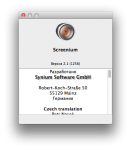 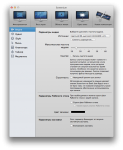 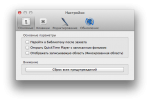 [/spoiler]    [url=viewtopic.php?t=1336582][/url]
Related Torrents
|
|||||||||||||||||||||||||||||||||||||||||||||||||||||||||||||||||||||||||



Home - Browse Torrents
ExtraTorrent.st is in compliance with copyrights
2025 ExtraTorrent.st