|
|
Latest Articles

New Movies








Foreign







|

Torrent Description
 Apple » Apple Macintosh » Системные программы (Mac OS) Path Finder [hr] Год выпуска: 2012 Версия: 6.1.2 Разработчик: Cocoatech Платформа: Intel only Язык интерфейса: английский + русский Таблэтка: Присутствует Системные требования: Mac OS X 10.7 и более новая [hr] PathFinder – замена стандартному Finder’у, предлагает своим пользователям такие функции, как полная навигация при помощи клавиатуры, встроенный FTP-клиент, работа с вкладками, индивидуальная настройка вида папок, удобный поиск, гибкое выделение файлов. [spoiler="Изменения в версиях с 5.7.2 по 6.1.2"] [spoiler="Изменения в версии 5.7.2"] [*] Fixed a performance issue in list view. [*] Fixed a refresh issue when setting labels on volumes. [*] Fixed an issue restoring the column view state after an update. [*] Fixed some issues with coverflow. [*] Fixed cpu hogging issue with menu validation. [*] Fixed a problem of overlapping icons on the desktop. [*] Fixed a problem with the autoupdater for non admin user accounts [/spoiler] [spoiler="Изменения в версии 5.7.3"] [*] A few more performance improvements. [*] Restored the ability to expand folder aliases in list view. [*] Fixed a preview refresh issue in icon view introduced in 5.7.2. [/spoiler] [spoiler="Изменения в версии 5.7.4"] [*] Fixed a bug with clone window. [*] Fixed some issues when running on Lion (10.7). [*] Now correctly updates the browser's window title after a rename. [*] Fixed the behavior when dragging the selected row in list view. [/spoiler] [spoiler="Изменения в версии 5.7.5"] [*] Fixed some issues when running on Lion (10.7). [*] Fixed a bug in list view. [/spoiler] [spoiler="Изменения в версии 5.7.6"] [*] Fixed authorized file operations on Lion (10.7). [*] Fixed file list bug for non HFS volumes on Lion. [*] New version of class-dump. [*] Fixed duplicate user and groups in get info permission popup menus. [*] Removed AirDrop item from sidebar on Lion. [/spoiler] [spoiler="Изменения в версии 5.7.7"] [*] Fixed an exception when mounting servers on Lion (10.7). [*] Fixed ignore volume permissions checkbox on Lion (10.7). [/spoiler] [spoiler="Изменения в версии 5.7.8"] [*] Fixed a bug with the trash menu in Lion. [*] Fixed a refresh issue after renaming a volume. [*] Fixed All Files search item in Lion and other saved searches. [*] Fixed an issue with the QuickLook window in Lion. [*] Fixed a bug in the subversion plugin. [*] Fixed a problem duplicating files with slashes in their name on Lion. [/spoiler] [spoiler="Изменения в версии 5.7.9"] [*] Fixed SMB issues on Lion [/spoiler] [spoiler="Изменения в версии 5.8.1"] [*] Fixed SMB share discovery in 10.7 Lion. [*] New version of the Stuffit Engine. [*] Fixed duplicate servers in sidebar. [/spoiler] [spoiler="Изменения в версии 6.0.0"] [*] Create and modify Access Control Lists, an advanced alternative to OS X's standard Unix permissions. [*] Leverage the power of OpenMeta to tag your files and share tags between apps. [*] Apply filename changes to a group of files simultaneously. [*] Low-level file editing without ever leaving your browser. [/spoiler] [spoiler="Изменения в версии 6.0.1"] Были недоступны после выхода данной версии [/spoiler] [spoiler="Изменения в версии 6.0.2"] Path Finder 6.0.2 is now available! Changes: List view flash when expanding fixed. Increased icon cache to avoid flicker. Opening .jar files no longer unzips them. New version of HexFiend hex editor. Fixed double click on disclosure triangle in list view bug. Fixed potential crash with size calculator. Fixed icon view clicking bug. Added option to disable icon views inline preview. Added cancel button for queued file operations. Fixed a bug in the find window. Updated many localizations. No longer creates multiple Goto sheets if one is already visible. [/spoiler] [spoiler="Изменения в версии 6.0.3"] [*] File operations popover fix for Retina MBP. [*] Signed with Developer ID for Mountain Lion. [*] Updated localizations. [*] Fixed some modules that were not drawing their background color correctly. [*] Lots of other minor improvements. [*] New auto update code. [/spoiler] [spoiler="Изменения в версии 6.0.4"] [*] Bug fixes [/spoiler] [spoiler="Изменения в версии 6.0.5"] Были недоступны после выхода данной версии [/spoiler] [spoiler="Изменения в версии 6.1.0"] [*] Были недоступны после выхода данной версии [/spoiler] [spoiler="Изменения в версии 6.1.1"] Discrete graphics card switch fix. [/spoiler] [spoiler="Изменения в версии 6.1.2"] [*] One key Dual Pane mode commands: copy, move, compress, decompress, swap. [*] TAB key Dual Pane mode focus change. [*] Dual Pane mode command notifications. [*] Notifications for completed file operations (Notification Center for OS X 10.8, Growl for 10.7). [*] File checksum calculation and comparison. [*] Redesigned file operations popover window. [*] Added Lion-style Find bars in text preview and editor. [*] Preferences Color Editor. [*] Added hi-res icons for Retina display. [*] Spotlight query limit increased. [*] Fixed gitk running in the background. [*] Fixed capitalization in the multifile rename. [*] Fixed animations problems. [*] Menu item keyboard shortcut editor fix. [*] Many other small issues fixed. [*] Code clean-up. [/spoiler] [/spoiler] [spoiler="Скриншоты"]  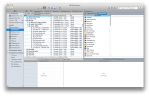 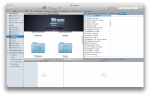 [/spoiler] [spoiler="Инструкция по регистрации"] 1. Запускаем CORE Keygen 2. Нажимаем Patch и выбираем иконку программы в папке "Программы" 3. Нажимаем Generate 4. Запускаем программу и вводим данные в окне регистрации [/spoiler] Раздача будет обновляться по мере выхода новых версий
Related Torrents
|
|||||||||||||||||||||||||||||||||||||||||||||||||||||||||||||||||||||||||



Home - Browse Torrents
ExtraTorrent.st is in compliance with copyrights
2025 ExtraTorrent.st