|
|
Latest Articles

New Movies








Foreign

|
![Download Avid - Sibelius 6.0.0.54 WIN.OSX x86 [2009] torrent](/images/download_normal.gif)
Torrent Description
Программы и Дизайн » Программы для работы с мультимедиа и 3D » Разное (Программы для работы со звуком)
Sibelius 6 FULL [hr]  Год выпуска: 2009 Версия: 6.0.0.54 Разработчик: Sibelius Платформа: PC OC Windows Совместимость с Vista: Полная Системные требования: Windows: Intel Core Duo or AMD Turion or better, 1GB+ total physical RAM (2GB recommended), 3.5GB total hard disk space, ASIO-compatible soundcard Язык интерфейса: Только английский Таблэтка: Присутствует Описание: Sibelius это пожалуй лучший нотный редактор, к этому трудно что-то добавить. Sibelius 6 это гигантский скачок вперед в области программного обеспечения для композиторов, преподавателей, студентов, аранжировщиков, музыкантов и копиистов всех видов. Возможность создавать красивую профессиональную партитуру. Возможность синхронизации с секвенсорами и DAW благодаря поддержке ReWire. Красивые окна фортепианной клавиатуры и гитарного грифа сделают работу еще удобнее. Простая аккордовая символика и отображение аккордов для гитары. [hr] !!! Внимание : Эта полная версия включает в себя помимо самой программы еще и банки качественных звуков!!! И еще несколько утилит. См. содержание диска. [spoiler="Скриншот содержания диска!!!"]  [/spoiler] [spoiler="Скриншот с указанием версии."]  [/spoiler] [spoiler="Скриншот."] 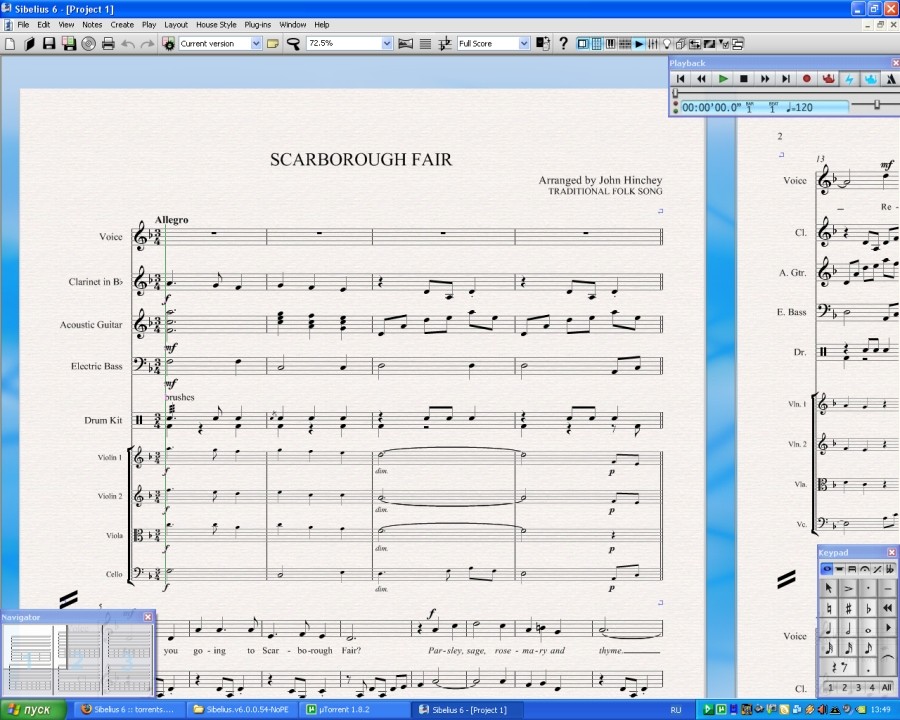 [/spoiler] [spoiler="Описание на английском."] Magnetic Layout takes care of almost every detail of score layout for you - so effortlessly, you’ll hardly notice. This one feature saves so much time, it may be the greatest revolution in music engraving in 20 years. Sibelius already has ‘magnetic’ slurs, accidentals, tuplets and so on – which stick to notes, and repel various other objects to avoid colliding with them. Now Magnetic Layout extends this intelligent behavior to everything else in your score, to produce truly professional results without you doing anything. As usual, there’s lots of ingenuity under the hood, but you don’t have to think about it – just input the music, and let Sibelius 6 take care of the rest. It’s really that easy. While you’re writing music, the dynamics, lyrics, chord symbols, rehearsal marks and all other objects quietly shift around to make sure your music is as clear as possible. They’re attracted into neat rows and columns, and repelled by other objects, making the best use of space on the page. Dynamics line up in rows and columns, while avoiding notes, slurs, etc. Lyrics shift out of the way of low notes, but stay lined up in verses. Tempo marks, chord symbols, and many other objects also organize themselves neatly while avoiding collisions. Drag something across a complex score, and other objects will helpfully jump out of the way. And on the rare occasion things get so tight that Sibelius 6 can’t prevent a collision, it will mark it in red so it’s easy to spot and fix. [/spoiler] Установка : Запустить авторан. После установки заменить файл Sibelius.ехе из папки C:\Program Files\Sibelius Software\Sibelius 6 на такой же файл из папки Lz0 что а раздаче. Доп. информация: Смотреть NFO файл. Файл NFO открывать блокнотом или Word Padом!!!
Related Torrents
|
|||||||||||||||||||||||||||||||||||||||||||||||||||||||||||||||||||||||||



Home - Browse Torrents
ExtraTorrent.st is in compliance with copyrights
2025 ExtraTorrent.st