|
|
Latest Articles

New Movies





Foreign





|
![Download CorelDRAW Essential Training [2012, ENG] torrent](/images/download_normal.gif)
Torrent Description
Обучающие видео » Компьютерные видеоуроки и обучающие интерактивные DVD » 2D-графика
CorelDRAW Essential Training Год выпуска: 2012 Производитель: Lynda.com Автор: Scott Georgeson Продолжительность: 5:19 ч Тип раздаваемого материала: Видеоурок Язык: Английский Описание: Whether you're an aspiring or experienced artist, this course provides detailed coverage of CorelDRAW, the flagship vector-based illustration and layout application. Author Scott Georgeson, the official creator of video training for CorelDRAW X4, X5, and X6, helps you get up to speed with the basics of vector drawing. Scott demonstrates how to use objects, layers, and pages to organize documents effectively and he discusses working with color, Artistic Text, drawing tools, and special effects. The course also covers how to align and group objects to lay them out more effectively and how to dictate the layering of objects with the Weld, Trim, and Intersect commands. This course was created by Scott Georgeson. We're honored to host his tutorials in the lynda.com library. Topics include: [*] Understanding vector and bitmap images [*] Working with multipage projects [*] Using independent per-page layers and guides [*] Drawing and editing shapes, lines, curves, and tables [*] Creating and using symbols [*] Working with text [*] Designing a business card [*] Shaping, filling, blending, and extruding objects [*] Importing and exporting other file types [*] Customizing the workspace, menus, toolbars, and palettes [spoiler="Содержание"] Introduction 5m 5s Welcome 1m 21s Using the exercise files 3m 44s 1. Getting Started 7m 27s The CorelDRAW interface 36s Working with new documents 3m 45s Exploring new document advanced options 3m 6s 2. Working with Pages and Dockers 14m 55s Moving and adding pages 3m 25s Understanding page setup 6m 47s Arranging dockers 4m 43s 3. Importing and Exporting Files 19m 59s Importing files 3m 51s Using Corel CONNECT 12m 23s Exporting files 3m 45s 4. Viewing Options 10m 0s Working with zooming 5m 8s Understanding page views 4m 52s 5. Working with Objects 37m 1s Using the Pick tool 4m 1s Selecting objects 4m 50s Moving objects 6m 59s Sizing objects 5m 56s Mirroring objects 6m 2s Rotating objects 5m 33s Skewing objects 3m 40s 6. Undo, Redo, and Stacking Order 12m 54s Working with Undo and Redo 5m 2s Understanding the stacking order 7m 52s 7. Using the Drawing Tools in a Business Card Project 1h 6m Understanding the drawing tools 8m 35s Working with the Rectangle tool 6m 54s Adding rectangles to a business card 5m 22s Working with the Ellipse tool 4m 23s Adding ellipses, pies, and arcs 4m 4s Working with the Polygon tool 2m 50s Adding a multipoint polygon 2m 12s Working with the Spiral tool 5m 5s Adding a shadowed spiral 2m 7s Working with the Graph paper tool 5m 55s Adding unique graph shapes 9m 23s Working with Perfect Shapes 6m 34s Adding a shadowed arrow shape 2m 44s 8. Working with Artistic Text 15m 3s Understanding artistic text 6m 42s Adding artistic text 8m 21s 9. How to Duplicate and Align Multiple Objects 40m 22s Aligning objects 6m 34s Understanding duplication 6m 55s Working with distribution 5m 6s Building an amplifier face 15m 14s Aligning text and spacing objects 6m 33s 10. Should I Group or Combine Objects? 14m 26s Understanding Group and Ungroup 7m 9s Working with Combine and Break Apart 7m 17s 11. Working with Color 38m 25s Coloring objects and using Uniform fill 8m 44s Using the Fountain fill 4m 56s Understanding the Color palette and the Document palette 9m 11s Working with the Interactive fill tool 8m 22s Using the eyedropper tools 7m 12s 12. Working with Outline Types and Color 19m 26s Using Convert To Curves and Outline Properties 9m 45s Understanding advanced Outline Properties 9m 41s 13. Welding, Trimming, and Intersecting Objects 17m 57s Exploring methods of working with Weld, Trim, and Intersect 8m 38s Exploring examples using Weld, Trim, and Intersect 9m 19s Conclusion 32s Goodbye 32s [/spoiler] Файлы примеров: присутствуют Формат видео: клипы QuickTime (.mov) Видео: AVC 960x540 15fps ~180Kbps Аудио: AAC 48kHz 2ch 96Kbps [spoiler="Скриншоты"]   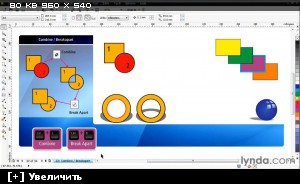  [/spoiler]
Related Torrents
|
|||||||||||||||||||||||||||||||||||||||||||||||||||||||||||||||||||||||||



Home - Browse Torrents
ExtraTorrent.st is in compliance with copyrights
2025 ExtraTorrent.st