|
|
Latest Articles

New Movies


Foreign


|

Torrent Description
Обучающие видео » Компьютерные видеоуроки и обучающие интерактивные DVD » ОС и программы семейства UNIX
Master CompTIA Linux+: Complete Zero-to-SysAdmin Course Год выпуска: 7/2025 Производитель: Udemy Сайт производителя: https://www.udemy.com/course/comptia-linux-course/ Автор: Vitalii Shumylo Продолжительность: 42h 42m Тип раздаваемого материала: Видеоурок Язык: Английский Описание: Transform from Linux beginner to certified system administrator with this comprehensive CompTIA Linux+ certification course featuring over 40 hours of hands-on training. This complete Linux mastery program covers everything you need to pass the CompTIA Linux+ exam and excel in real-world system administration roles. You'll start with Linux fundamentals and progress through advanced topics including Red Hat Enterprise Linux (RHEL), Ubuntu, and SUSE distributions. What You'll Master: Core Linux Skills: Navigate the command line with confidence, manage files and directories, understand file permissions, and work with essential Linux utilities like grep, sed, and awk. System Administration: Master user and group management, process control, service configuration with systemd, network administration, and security implementations including SSH key-based authentication. Advanced Topics: Dive deep into Bash scripting and automation, logical volume management (LVM), storage solutions including Stratis and VDO, network-attached storage, and system monitoring with journald. Practical Labs: Hands-on exercises using VirtualBox, Vagrant, and Cockpit for real-world experience. Configure networks with nmcli, manage packages with YUM and RPM, and implement advanced file permissions with ACLs. Certification Focus: Structured content aligned with CompTIA Linux+ exam objectives, including practice labs and guided exercises that mirror real exam scenarios. Perfect for IT professionals, system administrators, developers, and anyone seeking Linux expertise. No prior Linux experience required – we start from the basics and build to professional-level skills. OpenSSL certificate management, regular expressions, performance tuning, and cloud-ready Linux skills that employers demand. [spoiler="Содержание"] 1 - Introduction 1 -Meet Your Instructor Vit (03:24) 2 -Your Learning Adventure Begins! (02:20) 3 -Course Delivery (02:57) 4 -Regular Lesson Sructure (01:48) 5 -Introduction to Red Hat Distro (08:36) 6 -Installing VirtualBox (on Mac) (07:25) 7 -RHEL Installation (05:30) 8 -RHEL Registration with Subscription Management (03:14) 9 -RHEL Virtual Machine Creation and Management with Cockpi (10:53) 10 -RHEL Customizing Hostnames and Creating Snapshots with C (05:43) 11 -Creating Lab Environments Installing and Configuring Vag (06:52) 12 -Linux History and Open-Source Development (06:01) 13 -Linux Advantages Collaborative Development and Rapid Fix (00:03) 14 -Linux Licensing Models (06:01) 15 -Components of Linux Distributions (04:10) 16 -Common Uses of Linux (09:58) 17 -Linux in the Cloud Overview (06:09) 18 -Linux Shell Basic Commands (09:17) 19 -Using Basic Commands (07:34) 20 -Introduction to Shell Metacharacters in Linux (11:38) 21 -Linux Help Systems and Proper Shutdown Procedures (14:51) 22 -Navigating the Linux File System Understanding Directory (10:49) 23 -Linux Directory Navigation Essential Commands (14:08) 24 -Understanding Linux File Types (15:16) 25 -File Listing Techniques in Linux Exploring ls Command Op (15:27) 26 -Wildcard Metacharacters in Linux File Management (10:45) 27 -File Content Display in Linux (08:17) 28 -Text Processing with Grep in Linux (11:23) 29 -File and Directory Management Essential Linux Commands (10:11) 30 -File Manipulation Copying, Moving, and Removing (06:06) 31 -File Security Understanding and Utilizing File Attribute (04:18) 32 -Searching in Linux the 'find' Command for Efficient File (06:29) 33 -Searching in Linux Part 2 (03:16) 34 -Searching in Linux Part 3 (03:03) 35 -Searching in Linux Part 4 (03:46) 36 -Hands-On Guide to Finding Large Files and Creating a Long (08:38) 37 -Setting up File Permissions Essential Linux Security Con (05:40) 38 -File Access Control with Linux Permissions (07:56) 39 -Setting Up Group Permissions in Linux (05:11) 40 -Hands-On Demo Configuring Linux Permissions for Team Dev (04:25) 41 -Introduction to Basic Navigation in Vim (14:36) 42 -Hands-on Practice Vim Installation and Basic Navigation (05:20) 43 -Fundamentals of Editing in Vim (14:22) 44 -Basic Vim Navigation (04:20) 45 -Advanced Vim Navigation (07:07) 46 -Vim Search and Replace (05:40) 47 -Vim Copy and Insert (08:21) 48 -Vim Fundamentals A Comprehensive Review of Core Concepts (05:45) 49 -Overview of Exercise Lessons. What will we learn (03:52) 50 -Exercise 1 Editing in Vim (09:43) 51 -Exercise 2 Editing in Vim (07:47) 52 -Exercise 3 Editing in Vim (11:26) 53 -Exercise 4 Editing in Vim (13:20) 54 -Navigating and Editing Multiple Files in Vim (07:31) 55 -Searching the needed info with grep&wc (03:14) 56 -Cat and output redirection (03:00) 57 -Using pipes (01:08) 58 -Processes revealed (07:04) 59 -Processes and jobs (07:20) 60 -Exploring all running processes with top command (08:58) 61 -Understanding process states (03:46) 62 -Changing process priority with nice (04:42) 63 -Controlling processes with signals (05:16) 64 -Changing password and working with PATH (04:40) 65 -Special characters and command-line keystrokes (04:06) 66 -Chaining operators (05:51) 67 -Sed and awk (03:16) 68 -Sed and awk. Part 2 (03:46) 69 -Performing exit, reboot or shutdown on the system (02:26) 70 -Using BASH history (08:17) 71 -Using aliases to create your own commands (03:12) 72 -Watching files updates live with watch command (04:21) 73 -Gaining administrative privileges with sudo command (12:16) 74 -Managing packages with rpm command (04:37) 75 -Managing packages with rpm command (06:17) 76 -Installing and modifying packages with rpm command (08:31) 77 -Viewing pgp keys and verifying package attributes (05:55) 78 -YUM package manager. Part 1 (04:38) 79 -YUM package manager. Part 2 (05:00) 80 -YUM package manager. Part 3 (07:52) 81 -Configuring hostname (05:45) 82 -IPv4 concepts and traceroute command usage (14:56) 83 -Using 'ip' command (06:04) 84 -Validating and Troubleshooting Network Configuration (07:36) 85 -Practice Lab Examining Network Configuration (03:06) 86 -Configuring Networking with nmcli (10:03) 87 -Validating Network Configuration (with Guided Exercise)( (11:07) 88 -Editing Network Configuration Files (with Guided Exercise (09:27) 89 -Lab Managing Networking (05:43) 90 -Users Intro, id command, passwd file (06:52) 91 -Users Gaining Superuser Access. su and sudo commands (08:19) 92 -Users Configuring sudo (06:26) 93 -Users Guided Exercise Using sudo (10:44) 94 -Users Using useradd, userdel and usermod (10:05) 95 -Users Practice excersise with useradd, userdel and userm (03:05) 96 -Groups groupadd, groupdel and groupmod (06:20) 97 -Groups adding users to groups (04:35) 98 -Users working with passwords (12:25) 99 -Users Practice. Working with passwords (06:01) 100 -Lab Managing Users and Groups (06:18) 101 -File permissions (11:18) 102 -Changing Permissions for Files and Directories (08:12) 103 -Changing Ownership for Files and Directories (04:35) 104 -Guided Exercise Managing File System Permissions (05:15) 105 -Umask and Managing Default Permissions and File Access (12:59) 106 -Guided Exercise Umask and Managing Default Permissions (07:34) 107 -Lab Controlling Access to Files (08:22) 108 -Listing Processes and Process States (12:37) 109 -Controlling Jobs (06:46) 110 -Killing Processes (08:03) 111 -Monitoring process activity (08:50) 112 -Lab Monitoring and Managing Processes (11:33) 113 -Controlling Services and Daemons (11:26) 114 -Controlling Services and Daemons Guided Exercises (12:04) 115 -Configuring SSH key-based authentication (12:40) 116 -Configuring and securing SSH (10:20) 117 -Describing System Log Architecture (09:14) 118 -Reviewing Syslog Files (11:32) 119 -Reviewing System Journal Entries (10:19) 120 -Preserving the System Journal (10:16) 121 -Maintaining Accurate Time (10:11) 122 -Lab Analyzing and Storing Logs (06:49) 123 -Archiving and Compressing Files (11:57) 124 -Transferring Files Between Systems Securely (06:01) 125 -Using 'at' Package (10:27) 126 -Scheduling Recurring Tasks with 'crontab' (11:30) 127 -Scheduling Recurring System Jobs (08:44) 128 -Guided Exercise Scheduling Recurring System Jobs (07:15) 129 -Managing Temporary Files (10:17) 130 -Guided Exercise Managing Temporary Files (06:41) 131 -Adjusting Tuning Profiles (11:28) 132 -Adjusting Process Scheduling (10:23) 133 -Guided Exercise Changing Process Scheduling (04:28) 134 -Securing Files with ACLs (13:30) 135 -Guided Exercise Securing Files with ACLs (09:32) 136 -Adding Partitions, File Systems, and Persistent Mounts (24:01) 137 -Guided Exercise Adding Partitions, File Systems, and Persistent Mounts (05:02) 138 -Managing Swap Space (09:48) 139 -Lab Managing Basic Storage (11:53) 140 -Managing Logical Volumes (22:08) 141 -Extending Logical Volumes (13:19) 142 -Guided Exercise Extending Logical Volumes (04:32) 143 -Lab Managing Logical Volumes (08:41) 144 -Managing Layered Storage with Stratis (13:33) 145 -Guided Exercise Managing Layered Storage with Stratis (08:19) 146 -Compresson and Deduplicating Storage with VDO (12:19) 147 -Lab Implementing Advanced Stirage Features (15:54) 148 -Accessing Network-Attached Storage (08:51) 149 -Guided Exercise Accessing Network-Attached Storage (06:40) 150 -Describing the Boot Process (14:02) 151 -Guided Exercise Selecting the Boot Target (03:38) 152 -Guided ExerciseResetting the Root Password. Using Debug Mode and Logs (13:45) 153 -Lab Controlling the Boot Process (06:01) 154 -Describing Networking Concepts (17:21) 155 -IPv4 settings. Defining subnets (22:07) 156 -IPv4 Guided Exercises. Public and Private Adresses (10:18) 157 -Lab Planning an IPv4 network (09:00) 158 -Using OpenSSL on Red Hat Linux to Create, Operate, and Secure a Certificates (04:57) 159 -Creating Certificate Authority (Self-Signed) (04:09) 160 -Hands-On Lab on OpenSSL (07:13) 161 -Your First Bash Script. Part 1 (11:06) 162 -Your First Bash Script. Part 2 (08:22) 163 -Bash Syntax Fundamentals. Part 1 (10:41) 164 -Bash Syntax Fundamentals. Part 2 (08:11) 165 -Bash Syntax Fundamentals. Part 3 (06:27) 166 -Working with Files and Permissions. Part 1 (12:54) 167 -Working with Files and Permissions. Part 2 (04:44) 168 -Working with Files and Permissions. Part 3 (10:32) 169 -Script Example File Operations and Bash Concepts (13:18) 170 -'if' Statement. Part 1 (07:59) 171 -'if' Statement. Part 2 (12:14) 172 -Loops in Bash. Part 1 (08:33) 173 -Loops in Bash. Part 2 (10:23) 174 -Hands-on Lab Interactive Menu Script. Part 1 (09:23) 175 -Hands-on Lab Interactive Menu Script. Part 2 (11:23) 176 -Hands-on Lab Linux Administration Interactive Menu Scrip (09:47) 177 -Hands-on Lab Linux Administration Interactive Menu Scrip (08:19) 178 -Functions in Bash. Part 1 (10:35) 179 -Functions in Bash. Part 2 (11:52) 180 -Error Handling and Debugging in Bash. Part 1 (08:55) 181 -Error Handling and Debugging in Bash. Part 2 (11:39) 182 -Error Handling and Debugging in Bash. Part 3 (10:58) 183 -Advanced Bash Scripting Techniques - Examples Explained (09:53) 184 -Advanced Bash Scripting Techniques - Examples Explained (10:05) 185 -Advanced Bash Scripting Techniques - Examples Explained (13:45) 186 -Advanced Bash Scripting Techniques - Practical Example Wa (09:29) 187 -Bash Script Optimization and Performance. Part 1 (08:56) 188 -Bash Script Optimization and Performance. Part 2 (10:20) 189 -Bash Script Optimization and Performance. Part 3 (08:54) 190 -Bash Script Optimization and Performance. Part 4 (09:26) 191 -Bash Script Optimization and Performance. Practical Examp (06:31) 192 -Writing Simple Bash Scripts (11:41) 193 -Guided Exercise Writing Your First Script (02:34) 194 -Using Loops (14:50) 195 -Guided Exercise Using Loops (02:47) 196 -Describing a Simple Regular Expression (09:11) 197 -Guided Exercise Using grep with RegEx (03:30) 198 -Using grep with RegEx (05:14) 199 -Lab Your First Script (05:59) 200 -Building Scripts Using Variables and Redirecting InputO (14:58) 201 -Building Scripts the if-then statements (08:14) 202 -Building Scripts Trying the Test command. Using Comparis (10:06) 203 -Building Scripts Using File Comparison (10:58) 204 -Compound Testing. Working wit Advanced If-Then Statements (08:19) 205 -A Practical Example (05:43) 206 -Looping with the 'for' statement (08:22) 207 -Looping with the 'for' statement. Part 2 (12:00) 208 -Using 'while' and 'until' commands. Using Loops (08:20) 209 -Using Loops. Part 2 (09:08) 210 -Practical Examples Using Loops (08:25) 211 -Passing Parameters (07:26) 212 -Using Special Parameter Variables (07:14) 213 -Working with Options (11:48) 214 -Using Read Command (06:21) 215 -A Practical Example (06:41) 216 -Understanding Input and Output (14:27) 217 -Redirecting Output in Scripts (10:14) 218 -ReadWrite file descriptors (09:35) 219 -Supressing Command Output. Using temp files. Logging Mess (10:03) 220 -A practical example using input and output (07:55) 221 -Signaling the Bash shell (08:43) 222 -Using traps (05:09) 223 -Running scripts in background (09:17) 224 -Running Scripts without a Hang-up (02:23) 225 -Controlling the Job. Viewing Jobs (03:04) 226 -Installing SuSe Linux (13:14) 227 -Managing users with YaST (08:42) 228 -Adding and modifying users and groups with YaST (04:45) 229 -Configuring language and time settings in YaST (11:54) 230 -Introduction (04:57) 231 -Get to know YaST (03:50) 232 -Understanding SuSEconfig (03:48) 233 -Administration and Monitoring with udevadm (05:26) 234 -Understanding and Monitoring IRQ (04:22) 235 -UDEV Configuration and Device Management (05:26) 236 -Kernel Module Management Using modprobe and rmmod (04:11) 237 -Installation and Package Management Troubleshooting (12:22) 238 -USB Device Detection and Management in Linux Using lsusb and udevadm (04:55) 239 -Using dmesg for System Monitoring and Troubleshooting in Linux (04:48) 240 -Understanding Linux Run Levels System Maintenance and Troubleshooting in Linux (10:02) 241 -ls-pci Command Capabilities for System Hardware Analysis (03:09) 242 -Manual File System Mounting and systemd Behavior (06:20) 243 -Log Filtering with grep Time Range Extraction (04:26) 244 -Command Redirection Effects on Non-existent Files (03:24) 245 -Regular Expressions for File Renaming on Transforming Output (04:36) 246 -Man Command Usage for Displaying Section 1 Manual Pages (02:59) 247 -Hard and Symbolic Links Creation Using ln Command (07:35) 248 -Grep Command with -v Option for Inverting Match Output (05:35) 249 -Default File System Created by mkfs Command (03:38) 250 -SystemV init configuration What happens when run levels change (03:31) 251 -Debian package management How to locate package owners (02:30) 252 -Archive manipulation What remains after gunzip on tgz files (04:27) 253 -BIOS boot sequence Understanding the initial startup process (03:44) 254 -DPKG package management Removing configuration files on uninstall (04:02) 255 -Nice Levels in Linux Process Management On What and How (02:02) 256 -Bash Output Redirection Techniques On Standard Streams (07:14) 257 -Current Working Directory in Bash On Methods to Display (04:48) 258 -Identifying Root-Owned Processes On Effective Commands (02:40) 259 -Extracting User Information from etc passwd On Techniques (03:01) 260 -Linux Command Path and the Which Command on Executables (01:43) 261 -Package Management Uninstallation Retaining Config Files (01:30) 262 -Init Process ID in Unix-like Systems and Its Significance (03:29) 263 -Preventing Faulty Kernel Module Loading at System Boot (05:58) 264 -Zypper Package Manager and Pattern-Based Installation (04:05) 265 -VI Editor File Saving Commands in Unix-like Systems (05:05) 266 -Extracting User Data from etc passwd with Cut Command (03:21) 267 -VI Editor Reverse Search and Text Manipulation (04:48) 268 -Process Signals and Job Control in Unix-like Systems (02:42) 269 -Command Output Redirection Using the tee Command (03:19) 270 -GRUB2 Standard Installation Files What You Need to Know (03:51) 271 -Advanced File Search Techniques Locating Root-Owned Files (06:05) 272 -Vi Command for Deleting Multiple Lines in Unix Systems (03:39) 273 -Default Reserved Space Percentage in Ext4 File Systems (08:18) 274 -Here Document Syntax for Multiline Input in Linux (04:24) 275 -Modifying File System Check Interval on Ext3 Systems (05:00) 276 -Converting Windows to Linux Line Endings Using tr (03:59) 277 -SIGINT Signal Sent by CTRL-C and Process Management (03:00) 278 -GRUB Installation Command for First Disk and Partitions (03:08) 279 -APT-GET Dist-Upgrade for Updating All Installed Packages (03:55) 280 -Listing Installed Packages with RPM Query All Command (02:07) 281 -Installing GRUB2 on Third Hard Disk Command and Usage (03:31) 282 -Background Processes Understanding the Ampersand in Shell (03:31) 283 -VM Cloning on What to Modify for System Security (02:13) 284 -Process Niceness Maximum Value for Regular Users (03:39) 285 -XFS File System Recovery Methods After Power Outage (02:27) 286 -Valid Reasons Not to Use Hardlinks in Linux Systems (02:20) 287 -Standard Location of Man Pages in Linux File System (04:24) 288 -Removing Directory with Special Characters in Name (05:54) 289 -Understanding Shell Command Processing with 'type' (02:24) 290 -Displaying Inode Numbers Using 'ls' and 'stat' Commands (02:22) 291 -Viewing Compressed Archives with 'tar' and 'gzip' (03:55) 292 -Dividing Files into Segments Using the 'split' Command (04:52) 293 -Understanding Initramfs in the Linux Boot Process (04:09) 294 -YUM Repository Configuration How are repos managed (07:03) 295 -Linux Boot Process What is the initial program started (03:26) 296 -File Content Search How does grep use regular expressions (06:29) 297 -Hard Links in Backups What advantages do they offer (09:23) 298 -Limiting Search Depth with find Command max-depth Option (04:45) 299 -Comparing Linux Containers and Virtual Machines Key Differences (03:08) 300 -Alternative Device Identifiers in etcfstab UUID and Label (05:33) 301 -VI Command to Insert Deleted Content Below Current Line (03:22) 302 -Understanding etcfstab Structure Number of Fields in etcfstab (02:24) 303 -Executing Shell Scripts Without Subshells How and Why (04:42) 304 -Restricting Shell Login How to prevent interactive sessions (07:47) 305 -TCP Wrapper Configuration Limiting access to network services (12:14) 306 -Private IPv4 Networks IANA reserved ranges for local routing (07:30) 307 -Braille Display Technology Tactile interface for visually impaired (01:49) 308 -User Primary Group Assignment Location in Linux system files (02:01) 309 -Understanding IPv6 Address Structure and Validation (03:09) 310 -IPv6 Header Hop Limit Field Function and Behavior (02:31) 311 -Email Forwarding Configuration Using .forward File (03:18) 312 -IPv4 Subnetting Principles and Host Address Calculation (08:52) 313 -Process ID in Linux - What does echo $$ command display (02:35) 314 -DNS Configuration - Keywords in etcresolv.conf file (03:17) 315 -Environment Variables - Command to display all variables (03:46) 316 -Network Services - File for enabling and disabling services (04:05) 317 -User Account Creation - Options for useradd command (04:08) 318 -DNS Query Commands - Understanding dig command output (04:15) 319 -Systemd Timers - Command to display active timers (04:53) 320 -IP Routing - Packet handling based on routing table (07:52) 321 -DNS Debugging Using the Dig Command on Linux Systems (03:04) 322 -Password Storage and Shadow Passwords in Linux Systems (03:40) 323 -SSH Client Configuration Files and Custom User Settings (03:20) 324 -Network Manager Behavior and Configuration in Linux (06:17) 325 -File System Comparison Operators for Test Command in Linux (07:35) 326 -Journalctl Time Frame Parameters for Log Queries (05:03) 327 -Network Manager States for System Connectivity (03:04) 328 -Print Queue Commands for Displaying Job Lists (02:43) 329 -User Account Modification with Chage Command (04:29) 330 -Virtual Machine Video Output Protocol and SPICE Function (02:11) 331 -X11 Configuration File Structure in xorg.conf (02:20) 332 -IPv6 Characteristics and Broadcast Address Support (04:52) 333 -Bash Login Shell File Reading Order and .bashrc Usage (05:02) 334 -Network Manager WiFi Connection Creation with nmcli (03:52) 335 -NSSwitch Configuration File Syntax and Host Resolution (03:55) 336 -Network Manager Connection Types and Configuration (06:20) 337 -Global Shell Variables Configuration in etc profile (04:24) 338 -Locale Configuration Variables in locale.conf File (06:51) 339 -Sudo Configuration Syntax and User Permissions (09:10) 340 -SPICE Protocol Features for Remote Computing (02:57) 341 -Systemd Timer Unit Structure and Configuration (05:36) 342 -Bash Script Output Analysis with While Loop and Read (05:02) 343 -Date Command Functionality in Linux Systems (04:15) 344 -Find Command Usage for Root-Owned SetUID Files (03:17) 345 -Time Zone Configuration for Canadian Eastern Time (03:35) 346 -User Profile Configuration and .profile File Syntax (09:44) 347 -Standard TCP Port for HTTPS Service (03:52) 348 -Elements Present in etc group File for Linux Systems (03:51) 349 -Primary Function of SSH Host Keys in Secure Communication (04:13) 350 -Shell Variable Assignment with Command Substitution (04:59) 351 -Display Manager Tasks What are the primary responsibilities (03:30) 352 -Ping Command Operation How does it function by default (06:47) 353 -Chrony Configuration Options Which one accelerates initial sync (07:08) 354 -Systemd-journald Features What are its key capabilities (10:26) 355 -Core File Size Restrictions How to set limits using ulimit (03:12) 356 -ETC shadow File What critical information does it store (03:47) 357 -Bash Variables and Functions How to list all defined ones (02:52) 358 -Cron Access Control What happens when config files are absent (03:37) 359 -AT Command Access Restriction How to prevent user scheduling (03:04) 360 -Bash Shebang Line What are its key functions in scripts (03:27) 361 -SSH Key Pairs What are their essential properties and usage (03:55) 362 -Using 'udevadm' and 'proc' (04:52) 363 -udev Configuration Location. Loading kernel modules (06:19) 364 -Querying udev database. Listing USB devices (06:39) 365 -Using dmesg to view kernel ring buffer (07:19) [/spoiler] Файлы примеров: не предусмотрены Формат видео: MP4 Видео: AVC, 1280x720, 16:9, 30fps, 1738kbps Аудио: AAC, 44.1Hz, 128kbps, stereo [spoiler="Скриншоты"]     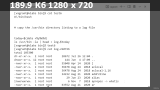 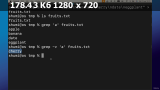 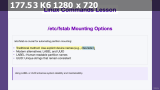 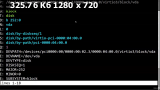 [/spoiler]
Related Torrents
|
||||||||||||||||||||||||||||||||||||||||||||||||||||



Home - Browse Torrents
ExtraTorrent.st is in compliance with copyrights
2025 ExtraTorrent.st