|
|
Latest Articles

New Movies








Foreign








|
![Download AO International Tennis (v1.0.1588 + Proper Crack) [FitGirl Repack] torrent](/images/download_normal.gif)
Torrent Description
AO International Tennis v1.0.1588
Release Date: May 8, 2018 Genres/Tags: Sports, Tennis, 3D Developer: Big Ant Studios Publisher: Big Ant Studios Platform: PC [Repack] Engine: in-house Steam User Rating: 65% of user reviews are positive (based on 88 reviews) Interface Language: English Audio Language: English Crack: built-in (CODEX) Minimum requirements: Operating System: Windows 7 (x64) or higher Processor: Intel Core i3-3210 / AMD Athlon II X4 555 RAM: 4 GB Video Card: Radeon HD 6670 or NVIDIA Geforce GT710 with Min 2GB Memory DirectX: 11 HDD Space: 13 GB (~42 GB during installation) Screenshots - click to enlarge If you don't see screens - disable your adblock  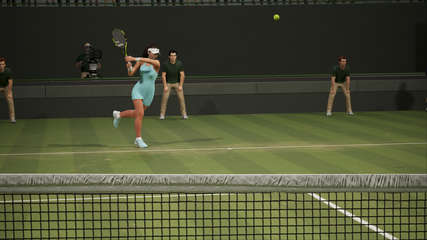     Description: AO International Tennis is the most authentic, community-focused tennis game ever. Make use of comprehensive PlayFace™, Stadium Creator, and other customisation features to put a photo-realistic version of yourself in your local tennis competition. Then put yourself up against the greats, including Rafael Nadal, Angelique Kerber, and up-an-coming heroes such as Naomi Osaka and Hyeon Chung. With more play features than any tennis game before, this is a tennis game for fans of tennis, made by fans of tennis. Repack Features Based on AO.International.Tennis.PROPER-CODEX scene release: codex-ao.international.tennis.iso (13,345,980,416 bytes) 100% Lossless & MD5 Perfect: all files are identical to originals after installation NOTHING ripped, NOTHING re-encoded Significantly smaller archive size (compressed from 12.4 to 4.5 GB) Installation takes: ~1 hour on 4/8-threads CPU; ~1 hour 40 minutes on 2-threads CPU After-install integrity check so you could make sure that everything installed properly HDD space after installation: 13 GB (~42 GB during installation) At least 2 GB of free RAM (inc. virtual) required for installing this repack Repack by FitGirl Backwards Compatibility This repack IS NOT backwards compatible with my initial game repack. Problems during installation? Read this repacks troubleshooting guide http://fitgirl-repacks.site/repacks-troubleshooting/
Related Torrents
|
|||||||||||||||||||||||||||||||||||||||||||||||||||||||||||||||||||||||||


 English
Home - Browse Torrents
ExtraTorrent.st is in compliance with copyrights
2025 ExtraTorrent.st